Learning Spaces as the Third Teacher

This document has loads of pictures and reflections about what I learned in this two-week course on how the learning space we provide for our students plays a major role in their learning–hence, the third teacher. (By the way, adults-parents and teachers are the first teacher and peers are the second teacher.) There is a book on the subject and a group who consult and do classroom make-overs. I learned so much about what is out there and what is possible.

I’m also including a video I created using VideoScribeAnywhere which is the post assessment for this course.

I also had to contribute a slide to several presentations that represented the Space Drivers: Collaboration, Exploration, Student-Centered, Creativity, and I selected this driver–Reducing Clutter. (I didn’t provide the links to these Google Slide Presentations.)

This was my last of the six two-week courses. I must say that I learned a ton and was very stimulated by the interaction. I recommend it if you want to up your game in terms of teaching and technology. Edtechteamonline–Future Ready Teachers

Digital Portfolios or Visible Learning Portfolios

In the assessment course, we learned about Visible Learning Portfolios in a Google Hangout by Holly Clark. You can find her slide show she shared at this link.
She mentioned a book called Show Your Work by Austin Kleon.
Holly Clark suggests using Screencastify or Explain Everything to have the student describe what was learned and/or revised as part of the reflection. She cautions against using a Google Form to collect what used to be collected on paper. In her presentation, she recommends SeeSaw for K-3 and Google Sites for 4 and above.

I know this is something the admin are thinking about adding to the Strategic Plan. From my coursework, a Google slide presentation on  digital portfolios states that: “When you are going to create Digital Portfolios with your students, you should first establish the purpose of the portfolio.

Purpose

  • Demonstrate Learning – students post throughout the year to show how much they are learning

  • Demonstrate Mastery – teacher shares standards and students post artifacts to show they meet standards (probably only shared with teacher and parents)

  • Showcase of Published Work – student or teacher choice of what goes on the ePortfolio (can be shared as narrow or wide as you want)”

I think it will be exciting to begin creating an authentic collection of student learning and reflection about that learning.


Final Assessment Reflection

Is there any benefit to using technology for assessment?  Explain.
I think there are many benefits to using technology for assessment. It saves the environment because paper is not used. It allows for the inclusion of more diverse media such as audio and video. Depending on the tool used, the assessment can have various question types that call for various responses. Again depending on the tool used, the assessment can be graded quickly. Feedback is often immediate for the student. Using technology to assess students makes knowing what students know and don’t know efficient and less arduous.


Share any thoughts or reflections that the students had on using technology with this assessment.
My students use a lot of different tech tools in my room. They have a terrific attitude about trying them out. They provide sincere feedback about whether something has bugs or the log-in is too difficult to remember. Google Forms are very familiar to them as they are used throughout our school for many different purposes. They prefer tools that give immediate feedback. They like some of the glitzy features like music and memes.


How did using technology change how you taught, monitored student progress, changed what you were learning in class, assessed or provided feedback for assignments, projects, quizzes, tests, or exit tickets.

Discovering Go Formative and Quizizz early in the school year as I was researching for my tech presentation, has made a difference in terms of how often I assess. I feel like I know much more about what they are and aren’t getting. Having that data influences the pace of my instruction and frequently the insertion of additional lessons to address areas that kids are finding difficult. That data allows me to form small groups to remediate and/or enrich. This year, I’ve asked my students to assess themselves using the results and then to choose what to work more on based on them. I feel like that has been a shift toward more student-led learning. Assessment using technology has made this more possible.

Assessment Course Work

At this link, you will find my work for this two-week assessment course.

As I state inside of this document, I am not a fan of rubrics, digital or otherwise. However, I found the JoeZoo rubric creator and grader to be fast and effective. It would be the one I would use since it goes easily into a Google document. In addition to the rubric tool, JoeZoo also has a way to make commenting on writing on a Google document faster. It categorizes errors and color codes them. I look forward to trying it out with the upcoming memoir unit. Before this course, I tried the audio feedback tool, Kaizena, but it was too slow. My computer couldn’t handle it. JoeZoo is a free Add-on found in the Chrome Store or you can get it on the JoeZoo website.

Assessment

The penultimate course is on assessment. This is the last week for it and I feel as though I’ve done nothing new. I started doing the reading but now I need to watch a few videos and post some reflections on Slack. Because I have taken many workshops on assessment with Bambi Betts and Leslie Grant, taken a graduate course last fall with Leslie Grant, gotten up early to watch webinars sponsored by various assessment organizations, and twice this year presented to other teachers about myriad digital formative assessment tools, I had plenty of assignments done already and knowledge in my head. That is in no way saying I won’t learn something. I’m sure I will be stimulated by comments in Slack and by TED Talks and other informative pieces this course provides. I just happen to be ahead on this topic.

I think I’ve blogged about some of my favorite digital formative assessment tools before but I just have to repeat that Go Formative has a lot to offer. I am using it now as a content delivery system. I love that I can put videos and images and documents into it and then have students respond by answering questions that require them to draw or write their answers. While prepping for the WrAP test, I created two separate Go Formative lessons: one focused on introductions and one on conclusions. Within the lessons, I was able to insert videos and diagrams that provided information on both topics. Perhaps the best thing about it is, the students can go back and review these lessons at any time. I can see all results as they come in and can display them if I want to and use them to discuss what I’m looking for in a response. I can leave written feedback and put a number score on each answer. If the answers are more objective, I can put in the correct responses and/or keywords to look for, and Go Formative scores it for me.

I’m trying to convince my teaching partner who teaches math to my kids to use it.

Another go to assessment tool is Quizizz. It is a better version of Kahoot.It. It allows the students to work at their own pace. I can remove some of the distractions like rankings and timers if I want to. The music can be turned off. I get great analytics about test questions and student scores.

You can’t beat Google Forms and Flubaroo. Last year at my suggestion, my team created a portion of our common grammar assessment on Google Forms. We used Flubaroo to grade it. The kids could take the test and it would be graded in a matter of seconds. You had results about what they were getting and what they weren’t just like that. Now I need to convince them to put the constructed response on Go Formative!

As I complete the requirements of this course, I will post more about what I learn about assessment.


Final Project for Visual Literacy Course

We had to create an infographic, a poster, a video, a book cover–there were many choices, but whatever we chose, it had to be about something that was difficult to teach or hard for the students to understand. We also had to create a video to explain about our project.

poster

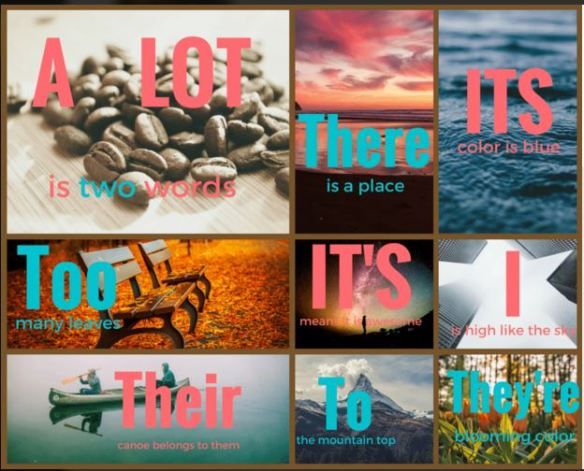
I decided to make an infographic/poster about some of the common mistakes my students make in their writing–even my best writers make some of these. I used a site called Canva. For the video that explains the project, I used a snipping tool to get writing samples that showed the mistakes, I used Skitch (an app) to annotate the writing samples, and I used Sonic Pics (an app) to put together the slide show and record my voice. I uploaded it to You Tube.


Final Reflection on Visual Literacy

I think visual literacy is a much over-looked skill. I think we assume that since these kids have grown up with screens they just know how to understand what they are looking at. I know I will use some of the knowledge I learned about fonts and colors to help my students create better presentations. I will also create better presentations and videos and regular graphics because of this information that has been shared with me. I love the dual coding concept and can see how it makes great sense.

I can’t really flip my classroom due to homework restrictions, but I do create a lot of lessons that my students work on in class and those lessons use a lot of visuals. I have become more aware of what I want them to get from the visuals so that I select more carefully and create more purposefully.

We have been tweeting a fair amount and sometimes I send pictures. I can see the power of the visual in social media. My class saw a picture of a cozy area in another class’s room and now they have been meeting and measuring and problem-solving to try to figure out how to create a similar one in our room. After reading the Instagram sites, I’m seriously considering creating a class account so we can share our world through pictures. I’ll let you know if we go live with that.

Taking pictures or video, sketching designs or results all fit naturally into PBL. In fact, having a visual record of what you have done so far or what you hope to create makes perfect sense.  The expression, “Back to the drawing board” came from problem-solvers using visuals.

You didn’t specifically ask for this connection since we’ve just started the assessment course, but I can see how visuals would work as assessments. I was very taken with the high school boy’s video and think he made many valid points. Teachers hesitate to assign or accept these projects because they are more difficult to assess, but in my mind, they are so much more authentic than many paper/pencil tests.

I was extremely busy for these two weeks of the visual literacy course, but I learned a ton anyway. I look forward to working more in the apps and sites and to train myself to look at fonts and colors with a new perspective.
Slack

We are using Slack for this course. Our fabulous librarian used Slack with the Newbery group and invited me to join in. So I had a slight leg up when I was asked to use it for this. I was thinking about using it for author study so it has been a great opportunity to learn more about how it works. BTW, the kids tweeted a bunch of authors last week. Hope we hear back from them.

Here is an article about how one school is using Slack.


Visual Literacy Again

This is a visual I created using Canva. It is meant to represent something I’ve learned in these courses and/or something about the cohort. Since we have learned about global collaboration and student agency, and since the members of the cohort are trying out new tools and methods, I decided to go with stretching yourself out of your comfort zone. I tweeted the graphic so if you follow me on Twitter, you will see it there.

Visual Resume

image

For the Visual Literacy course, I had to create several projects. Here is one that was called a visual resume. When I looked at samples of visual resumes, they had timelines, graphs, and text. They looked like something I would give a prospective employer. We could only use pictures so it seems like it is more of a collage of my life–short version.

I used a tool called Fotor. I am not a big fan of it. I suspect the paid version offers more options.

BTW, still no release date on my poetry book.